
Nothing for you to set up
Your existing placements have already been migrated, rules created to cover your existing setup, and your schemes updated accordingly. This guide is here to help you understand what's changed and how to work with it going forward — there's no migration step waiting on you.
The core change: one placement, many timesheets
Under the old deal-based model, a contract role typically meant a new deal per timesheet. That's no longer the case. Placements are now fully modelled:
- Permanent placements have terms attached directly — a start date and a fee.
- Contract placements have a start date and a charge/pay rate.
For contract roles, you create the placement once and attach each new timesheet to that same placement as work is completed, rather than raising a new record every time. This keeps the history of a role in one place and is what makes the rest of the features below possible.
Choosing when a placement pays
Every placement carries multiple dates — for example when it was boarded, when it started, and when it was paid. Rather than being locked to a single "confirmed" moment for the whole account, you can choose which date drives payout on a per plan basis. That means one commission plan can pay out when a placement is boarded, another can pay on start, and another can pay only once it's actually paid — all from the same underlying placement, each plan reading whichever date matters to it.

Values and line items
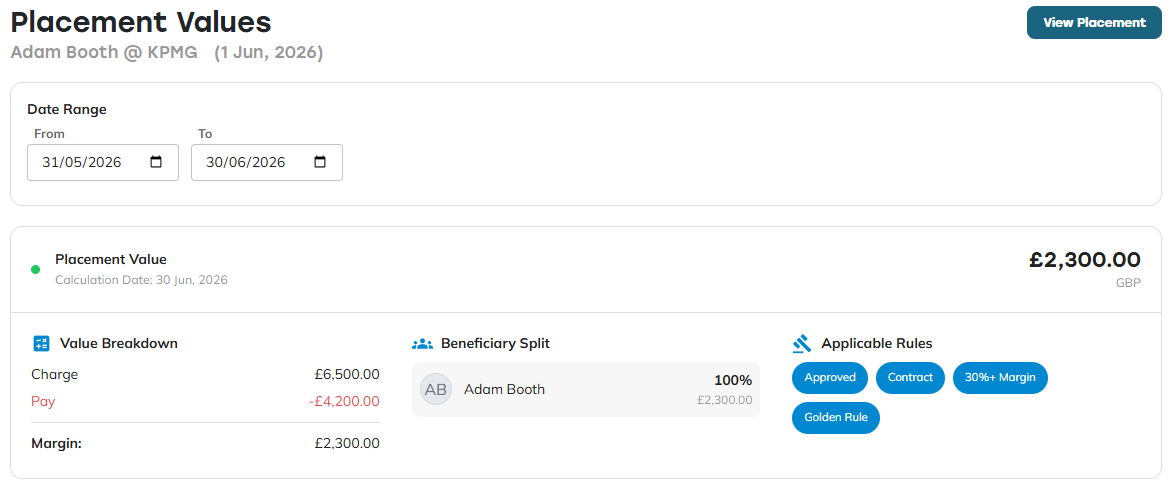
Each placement generates a set of values — these are the billings that feed into your commission plans. Opening a placement's values shows the individual line items behind it: charge, pay, and any other elements your integration provides (for example, NI contribution, where your integration supports it).
Any burdens or adjusters configured on your account will also produce their own line item, so you can see exactly how margin has been calculated rather than just the final figure. Margin is visible both on a per-value basis and across the full duration of the placement, so you can see how it's tracked over time as well as at a single point.
Beneficiaries with effective dates
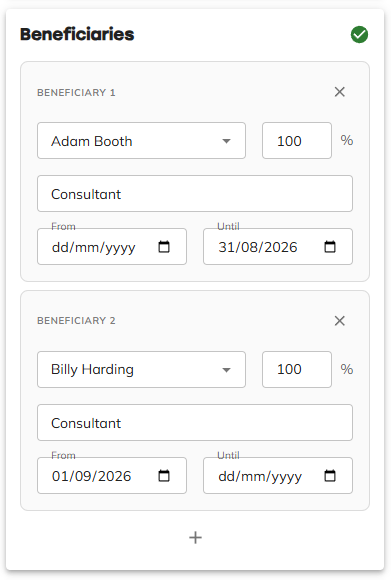
Beneficiaries — the people credited for a placement — now support effective dates. If someone leaves and another person takes over the account, you can reassign the billings to the new beneficiary from a specific date forward, rather than the whole placement having to sit with one person for its entire life.
Placement rules (replacing deal types)
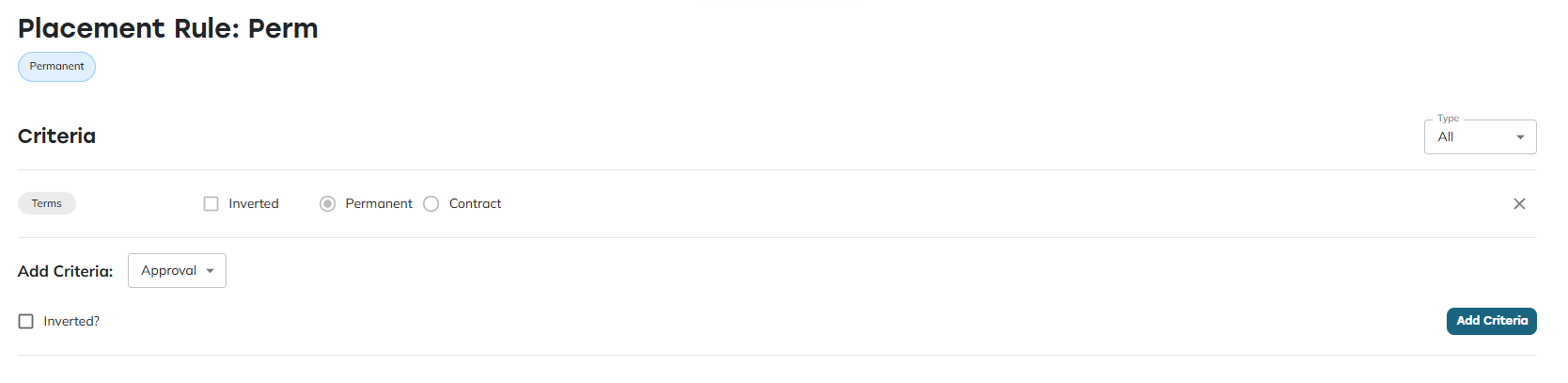
Deal types and per-integration interfaces have been replaced by placement rules. If you need to segregate certain billings — for example treating a category of business differently for commission purposes — you'll now do this with a placement rule rather than a deal type or a custom interface.
Placement rules also take over the job the old "confirmed" status used to do, but more flexibly:
- A billing can be confirmed in one commission scheme while still unconfirmed in another, rather than having a single confirmed state that applies everywhere.
- Confirmation statuses are configurable per rule, rather than being fixed once at integration setup and hard to change afterwards.
For the full detail on setting these up, see our article on placement rules: How do placement rules decide which billings a condition applies to?
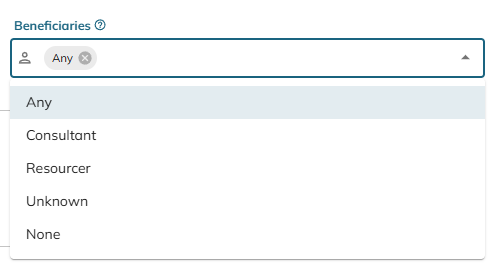
One thing placement rules aren't for: if you want to limit a scheme to specific beneficiary roles, that's not configured through a placement rule. There's a dedicated option for this on the scheme itself, so look there rather than trying to build a rule around it.
Importing placements and timesheets
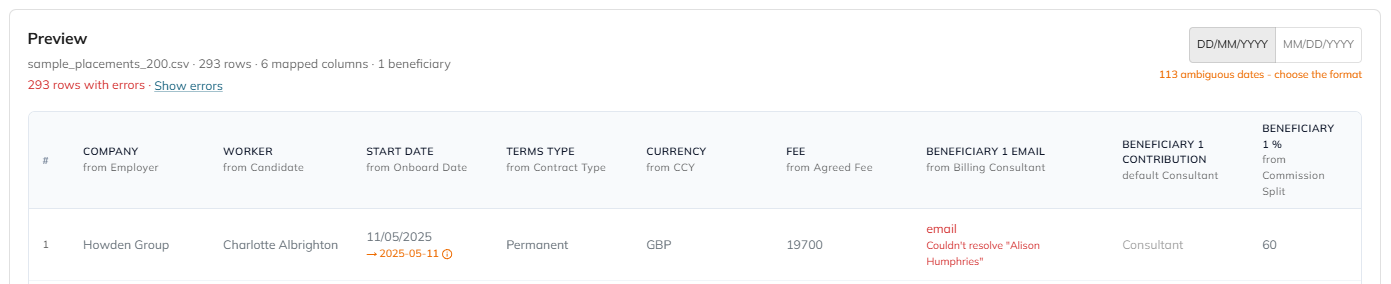
There's a new importer designed to fix the most common issues customers ran into with deal imports. It's a simple three-step process: upload, map, preview.
What's different from before:
- Mappings stick — the next time you upload a file with the same structure, the mapping is applied automatically.
- Issues are flagged during preview, before anything is committed.
- You can move freely back and forth through the steps rather than starting over.
- The preview step supports inline editing, so small fixes don't need a re-upload.
- You can toggle between US and UK date formats.
- Partial uploads are supported, with reasonable defaults applied to anything missing.
One important change: placements and timesheets are now uploaded separately. Make sure your timesheet file includes enough identifying data to connect each row back to the right placement.
If you'd rather not use the importer at all, placements have full MCP support — so an AI assistant can connect directly and handle the upload for you, out of the box.
Custom fields, fully overhauled
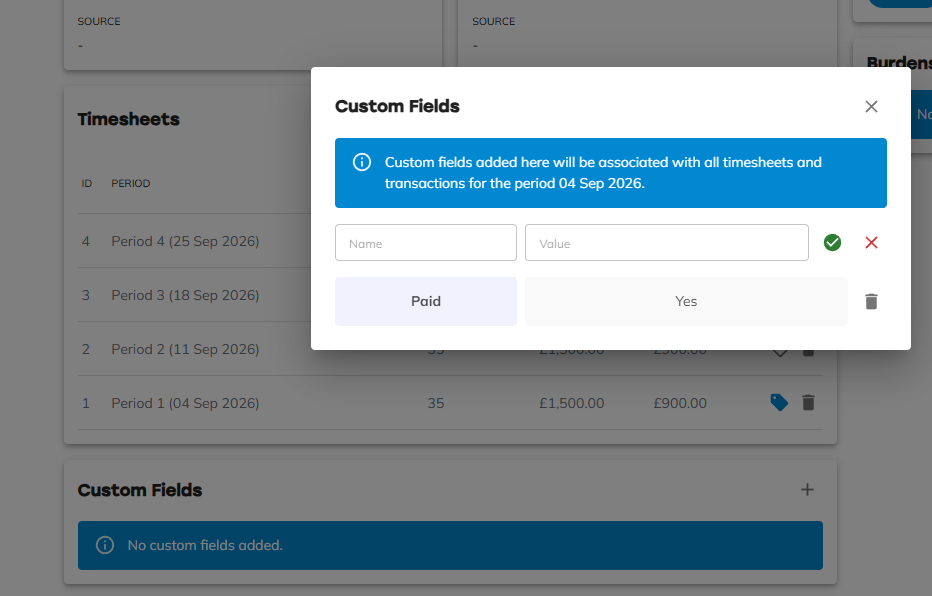
Custom fields no longer need to be set up in advance through an integration or interface — you now have full control to define them on a per-placement basis as you go. You can also target a custom field at a specific date or timesheet, giving you precise control over exactly which billings qualify for a given piece of commission.
Finding placements
The placement list page now shows more detail than before, and its search works across worker, company, and applied placement rules. That means you can search directly for "Permanent," "Contract," or any other rule you've configured, alongside the usual name and company searches.

Need help?
If you're moving over from the old deal-based setup and something doesn't look right — a timesheet isn't attaching to the placement you expect, or a rule isn't segregating billings the way you intended — get in touch with your Konquest support contact with the placement and timesheet details involved.