
Konquest can be integrated with your Vincere account, meaning you can manage all of your data in Vincere and automatically have those changes reflected in Konquest. The process to integrate the two systems is simple, with Konquest handling most of the work, though there are some steps which require your involvement.
Request Integration
The first step is to make an offline request to Konquest to setup the integration. At this point Konquest will setup a placeholder for the integration and provide a unique Callback URL (in the below format), which Vincere will require in order to setup the API user.

Mapping Information
At this point we will also require any additional information on how you want to map data from Vincere, for example:
-
Deals to ignore, e.g. all contract deals
-
Date to import from
-
Which job types to map to which Konquest interface
-
When to confirm deals in Konquest - typically this would be based on a sub-status in Vincere, e.g.
-
"Placement Checked-In"
-
Any custom field or non-standard mapping requirements
Request Credentials
Once the Callback URL is provided, the next step is to request the API credentials from Vincere. Vincere previously allowed users to manage this themselves, but now these credentials must be requested via the Vincere support desk.
Vincere should provide the following credentials:
- API Key, e.g.

- Client ID, e.g.

We will also require your Vincere account name, which will be included in your Vincere URL, for example:

Grant Access to Konquest
Once Konquest has received the above data we will update the previously created placeholder with the new credentials. However, we still need to be granted access to your Vincere account in order to start syncing data.
Konquest will provide you with another unique URL which can be used to connect the two systems - using the format below.

Before following this link, you should ensure you are logged in to both systems to prevent any issues with authentication flows interrupting the handshake between the two systems. Once followed, the link will first take you to Vincere, before being redirected to the Konquest callback URL where a message will display confirming the successful integration of the two systems.
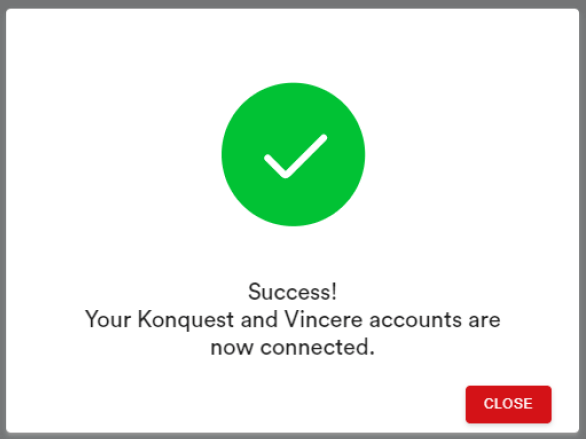
As soon as this step is complete you can notify Konquest and we will confirm the successful integration before pulling in the historic data from your Vincere account and populating your Konquest account.
That's it! You have successfully integrated Konquest with Vincere. Should you require any further changes to your integration then please don't hesitate to contact Konquest and we'd be delighted to make those changes for you.